
Zone Apple
Gaming on a Mac: Still a Bad Idea in 2025 — or Time to Rethink It?
Juin
Introduction
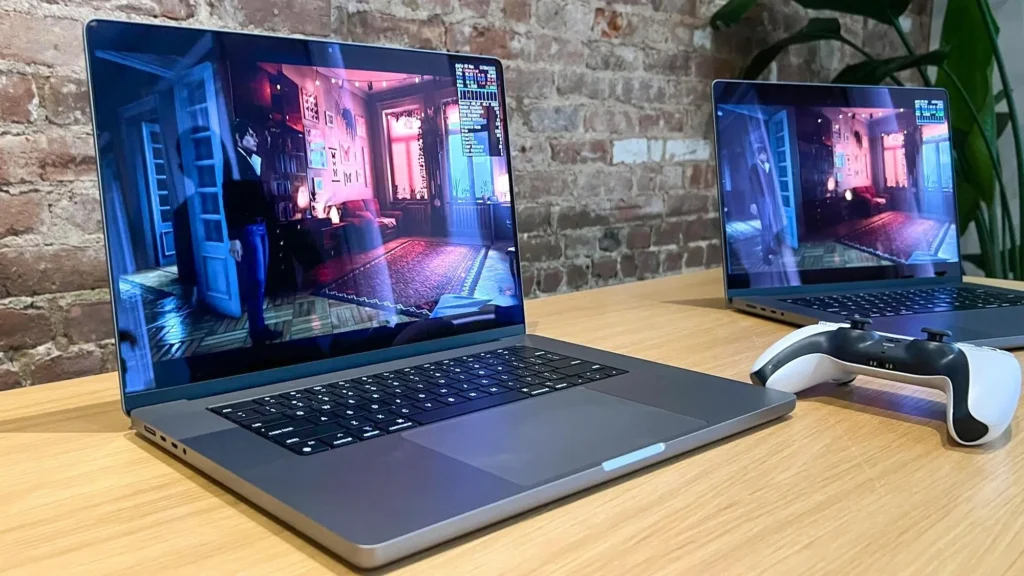
For decades, Mac users have heard the same refrain: « Macs aren’t for gaming. » But in 2025, with the rise of Apple Silicon, game porting kits, and enhanced hardware acceleration, many are asking: Is gaming on a Mac still a bad idea?
This article takes a deep dive into the current state of gaming on macOS, the real performance of M-series chips, what titles are supported, and whether Mac gaming finally deserves a second chance.
The Historical Problem With Mac Gaming
For years, the reasons were clear:
- Macs lacked dedicated GPUs on most models
- Developers prioritized Windows DirectX over macOS Metal
- Compatibility issues plagued most AAA releases
- Gaming peripherals were hit-or-miss
- Apple never really marketed Macs to gamers
🧠 TL;DR: Gaming on a Mac was either impossible or painfully limited.
Apple Silicon Changed the Game… Almost
The introduction of the M1 chip in 2020, and now the M2, M3, and Pro/Max/Ultra variants, has revolutionized Mac performance.
| Chip | Performance Highlights |
|---|---|
| M1 | Entry-level, better than Intel iGPUs |
| M2 Pro | Handles mid-tier games in 1080p |
| M3 Max | Approaches RTX 3060 Ti performance in Metal-optimized games |
💡 MetalFX (Apple’s answer to DLSS/FSR) also brings upscaling and frame interpolation to certain games — improving visuals and FPS.
Current State of Game Compatibility on macOS (2025)
Thanks to tools like:
- Game Porting Toolkit (GPTK)
- CrossOver 24
- Parallels Desktop
- Rosetta 2 / Metal API
… you can now run more games than ever on a Mac, including some modern Windows-only titles.
✅ Games that run natively or via porting:
- Baldur’s Gate 3
- Resident Evil Village
- Lies of P
- No Man’s Sky
- World of Warcraft
- Civilization VI
- League of Legends
- Stardew Valley
❌ Still problematic:
- Most anti-cheat protected multiplayer (e.g., Valorant, Fortnite)
- DirectX 12-heavy AAA titles
- VR games and mods
- GPU-intensive live streaming
Pros of Gaming on a Mac in 2025
✅ Quiet, cool, and efficient — fanless design on many models
✅ Gorgeous displays — Retina and ProMotion for color accuracy
✅ Excellent battery life — especially for casual and indie titles
✅ Fewer distractions — clean ecosystem with less background bloat
✅ Game Porting Toolkit — opens the door to thousands of games
✅ Cross-device continuity — play on Mac, pick up on iPad via cloud or remote
Cons of Gaming on a Mac in 2025
❌ Limited AAA library
❌ No support for NVIDIA GPUs or DLSS
❌ Many games still require Windows/DirectX
❌ Gaming accessories may lack full macOS driver support
❌ No native support for VR headsets like Meta Quest or HTC Vive
🎯 Bottom line: great for indies, strategy, RPGs, but not for competitive esports or modded games.
Top Gaming Platforms That Work on Mac
| Platform | macOS Compatibility | Notes |
|---|---|---|
| Steam | ✅ Native app | Check individual game support |
| Epic Games Launcher | ⚠️ Workaround via Crossover | Not officially native |
| GOG Galaxy | ✅ Good for DRM-free games | Many classics run well |
| Xbox Cloud Gaming | ✅ Via browser (Safari/Chrome) | Best for AAA on low-power Macs |
| GeForce NOW | ✅ Full support | Ideal for AAA streaming |
| Parallels / Boot Camp | ⚠️ Intel only or limited via ARM | Not for M1/M2 without tweaks |
Best Mac Models for Gaming in 2025
| Model | Best For | Why |
|---|---|---|
| MacBook Pro M3 Max (16”) | AAA gaming via GPTK | High GPU core count, active cooling |
| Mac Studio M2 Ultra | Desktop gaming & creation | Serious power, perfect for emulation & porting |
| MacBook Air M2 | Casual/indie games | Silent, light, great battery |
| Mac Mini M2 Pro | Budget desktop gaming | HDMI 2.1, compact, efficient |
💡 Tip: Pair with a monitor with 144Hz support for smoother gameplay on ProMotion-enabled Macs.
Cloud Gaming: The Real Workaround for Mac Gamers
Can’t run a title natively or via toolkit? Cloud gaming saves the day:
- NVIDIA GeForce NOW — Great for RTX gaming from Steam or Epic
- Xbox Cloud Gaming (Game Pass Ultimate) — Console-level performance in browser
- Boosteroid or Shadow PC — Virtual gaming PC, full access to Windows libraries
⚠️ Requires stable internet (50 Mbps+ recommended) for 1080p/60fps.
Pro Tips to Maximize Mac Gaming
✅ Use GPTK and Whisky launcher for quick setup
✅ Lower in-game resolution to maintain FPS (720p–1080p for M2 Macs)
✅ Turn off background processes and Spotlight indexing
✅ Invest in an external controller or mouse for better precision
✅ Use Activity Monitor to check memory usage during games
When Gaming on a Mac Makes Sense
👍 Yes, if you:
- Play indies, RPGs, strategy games
- Use cloud gaming services
- Own a recent M-series Mac
- Want gaming as a secondary feature
- Prefer portability + clean workflow
👎 No, if you:
- Play competitive multiplayer (Valorant, Apex)
- Heavily mod games
- Want max FPS on the latest AAA games
- Stream gameplay professionally
Conclusion: Gaming on a Mac — Not So Bad Anymore?
In 2025, gaming on a Mac isn’t as bad as it used to be — but it’s still not for everyone.
If you’re a casual or creative-focused user who also enjoys games occasionally, a modern Mac can deliver a surprisingly good experience, especially when combined with cloud gaming and porting tools.
But for hardcore gamers, competitive esports players, or modding enthusiasts, Windows remains the undisputed king — at least for now.
FAQ – Gaming on a Mac
Can Macs play Steam games?
Yes, but only games with native macOS support or via porting tools like GPTK.
Is GeForce NOW good for Mac gaming?
Yes — it’s one of the best ways to play AAA titles on a Mac without needing a powerful GPU.
What games don’t run on Macs at all?
Games with strict anti-cheat (like Valorant) or deep DirectX 12 dependencies still won’t run reliably.
Can I use an external GPU (eGPU) with Apple Silicon?
No. Apple discontinued eGPU support with the M1 series and beyond.
Should I install Windows on my Mac to game?
Only on Intel Macs. Apple Silicon doesn’t support Boot Camp, and virtualization has limitations.
